
The AI tools market has exploded in the past few years, and the Microsoft Copilot vs ChatGPT debate sits at the center of that conversation. Both tools harness the power of large language models to assist with writing, research, coding, analysis, and a growing list of professional tasks. But they are not the same product, and understanding their differences is essential for choosing the right tool for your specific needs. This article provides a thorough comparison for 2026.
What Is Microsoft Copilot?
Microsoft Copilot is an AI assistant developed by Microsoft, powered by OpenAI’s GPT-4 and related models. What is Microsoft Copilot, precisely? It is an AI that Microsoft has deeply integrated into its product ecosystem, including Windows 11, Microsoft 365 applications like Word, Excel, Outlook, and Teams, as well as GitHub, Bing, and the Edge browser. Copilot is designed to enhance productivity within tools people already use at work every day.
For consumers, Copilot is available for free in Windows 11 and through Bing. For businesses, Microsoft 365 Copilot is available as a premium add-on that connects the AI to your organization’s data documents, emails, meeting transcripts, and calendars to provide contextually rich and personalized assistance.
What Is ChatGPT?
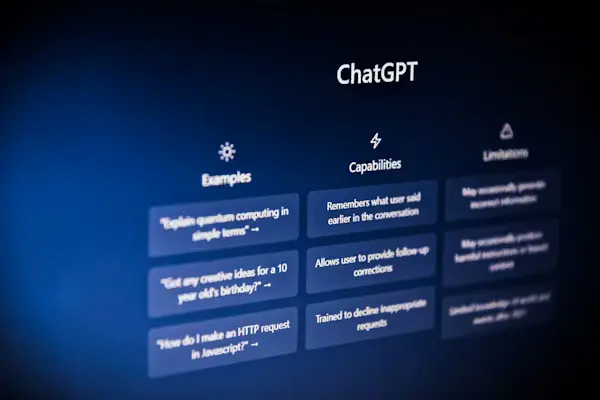
ChatGPT is an AI chatbot developed by OpenAI, launched in November 2022. It quickly became the fastest-growing consumer application in history, reaching 100 million users in just two months. ChatGPT is available through a dedicated web interface and mobile app, and it is accessible via API for developers building AI-powered applications.
ChatGPT is available in a free tier and a paid Plus tier, as well as Team and Enterprise tiers for organizational use. It supports text, images, file uploads, code execution, and real-time web search across all major paid plans.
Microsoft Copilot vs ChatGPT: Core Differences
Integration vs Independence
The most fundamental difference in the Microsoft Copilot vs ChatGPT comparison is where each tool lives. Copilot is embedded inside Microsoft products; you use it within Word, Excel, or Teams rather than as a standalone experience. ChatGPT is an independent platform with its own interface that you access separately from other tools, though it can connect to external services through plugins and API integrations.
Data Access and Context
Microsoft 365 Copilot can access your organizational data, your emails, calendar, SharePoint documents, Teams messages to provide personalized, context-aware assistance. ChatGPT can access uploaded files and browse the web, but it does not have native access to your entire work environment in the same deeply integrated way that Copilot achieves.
Target Audience
Copilot for Windows 11 and Microsoft 365 is primarily designed for enterprise and business users already within the Microsoft ecosystem. ChatGPT serves a broader and more diverse audience: students, writers, developers, researchers, and professionals across many industries and platforms around the world.
Copilot for Windows 11: Features and Capabilities
Copilot for Windows 11 is built directly into the operating system, accessible via the taskbar with a single click. Key capabilities include a range of useful functions.
- Answering questions and explaining complex concepts in natural language
- Adjusting Windows settings and system preferences through conversational commands
- Summarizing and analyzing documents or images you share with it
- Generating content and helping draft emails or professional messages
- Connecting to Bing for real-time web search results and current information
For casual users and professionals who spend most of their day in Windows and Microsoft 365, this deep integration is genuinely useful reducing the need to switch contexts between different applications throughout the workday.
Microsoft Copilot Free vs Paid: What Is the Difference?
Microsoft Copilot free vs paid reflects a clear segmentation strategy designed to serve different user segments. The free version, available through Windows and Bing, offers solid AI chat functionality and web search integration. It is useful for everyday queries, writing assistance, and basic image generation.
Microsoft 365 Copilot, the paid enterprise version, is significantly more powerful and contextually aware. It connects to your organization’s entire Microsoft 365 data graph emails, files, meetings, and contacts allowing it to summarize last week’s meetings, find specific documents, draft context-aware emails, and generate reports from your actual company data. This version requires a Microsoft 365 subscription and an additional Copilot license per user.
How to Use Copilot: Practical Examples
Understanding how to use Copilot effectively depends on which version you are working with. Here are practical applications across different Microsoft products.
- In Word: Highlight text and ask Copilot to rewrite, expand, or summarize it on demand
- In Excel: Ask Copilot to analyze data trends or generate formulas from natural language descriptions
- In Outlook: Ask Copilot to summarize long email threads or draft responses in a specific professional tone
- In Teams: Get meeting summaries and a list of action items automatically generated after calls
- In Edge: Use the built-in Copilot sidebar to summarize web pages or compare products side by side
AI Tools Comparison 2026: Which Should You Choose?
In the broader AI tools comparison of 2026, the choice between Microsoft Copilot and ChatGPT comes down to your primary use case and existing technology stack.
- Choose Copilot if you live in Microsoft 365, need AI that knows your work context, and want seamless integration without switching apps
- Choose ChatGPT if you need a flexible and powerful AI across many domains, prefer an independent interface, or are building applications with AI capabilities
- Use both if your needs are complex many professionals use Copilot within work apps and ChatGPT for broader research and creative tasks
Both tools are rapidly evolving. OpenAI continues updating ChatGPT with new models and capabilities, while Microsoft regularly expands Copilot’s reach across its product suite. The competition between them is ultimately beneficial for users, driving faster innovation and better value across the market.
Conclusion
The Microsoft Copilot vs ChatGPT comparison reveals two powerful AI tools built for different contexts and user needs. Copilot shines when embedded in the Microsoft ecosystem, turning familiar work applications into intelligent and context-aware assistants. ChatGPT offers unmatched flexibility and accessibility as a standalone AI platform that works across virtually any domain. For most professionals in 2026, these tools are complementary rather than competing and using both strategically can dramatically amplify productivity across personal and professional domains alike.
